

If you enjoy teaching, training, or making learning fun, you’re familiar with Gimkit. Educators and students alike appreciate the platform for its interactive learning.
But what do you need to host effectively on Gimkit? How can you create games that are both educational and engaging?
The guide will cover all you need to know to become a successful Gimkit host. Whether you’re starting or looking to improve, the article will guide you step by step to help you run exciting and impactful games.
What Is Gimkit?
Gimkit differs from other learning tools in that it uses a game-like approach. It’s not just answering questions; it involves strategy, competition, and teamwork.
Players earn virtual currency by getting answers right, which they can use to buy upgrades or hinder others. This mix of learning and gaming keeps students engaged.
Gimkit Features
Critical features of Gimkit:
- Live Games: Run real-time games where students compete.
- Assignments: Set up games that students complete at their speed.
- Power-Ups: Let students earn advantages in the game.
- Reports: Reports track student progress and highlight areas that need improvement.
Gimkit vs. Other Tools
Gimkit stands out by integrating more strategy and competition into learning compared to platforms like Kahoot and Quizlet.
Unlike others focusing on memorization, Gimkit encourages critical thinking and decision-making, making it versatile for different teaching scenarios.
Setting Up Gimkit
Create an Account
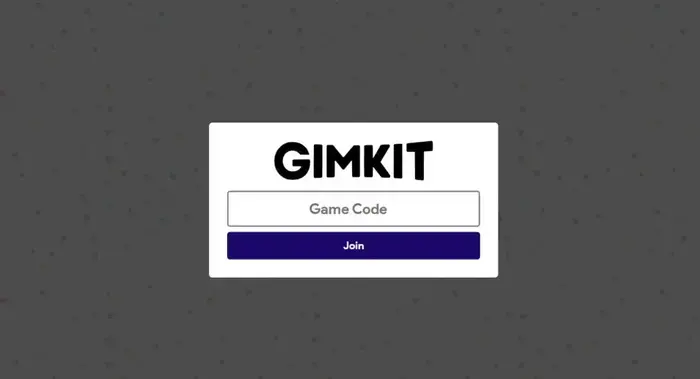
To host on Gimkit, start by creating an account. Visit the Gimkit website and sign up using your email or Google account. After signing up, you’ll access your dashboard to explore the platform.
Dashboard Overview
The dashboard is your control center. You can create question sets (kits), manage games, view reports, and access settings here. Familiarize yourself with the available options.
Subscription Plans
Gimkit offers a free version, but subscription plans unlock more features like unlimited kits, additional game modes, and advanced reports. Choose a plan that suits your needs and budget.
Choosing the Right Game Mode
Game Modes Explained
Gimkit offers several game modes, each providing a unique experience:
- Classic Mode: Students earn money for correct answers and can buy upgrades.
- Team Mode: Students work in teams, combining money to buy upgrades.
- Trust No One: A strategy mode where students must identify the “impostor.”
- Humans vs. Zombies: A survival mode where students must outlast “zombies” by answering questions.
Selecting the Best Mode
The best mode depends on your goals and group dynamics. Team Mode fosters collaboration, while Trust No One adds suspense and strategy. Consider your objectives and students’ preferences when choosing a mode.
Engaging Students with Different Modes
Switch game modes often to keep students engaged. It prevents repetition and supports different learning styles. Ask students about their preferred modes.
Creating a Kit
Understanding Kit Creation
Making a kit on Gimkit is simple. Click “New Kit” on your dashboard, then enter a title, description, and subject area. Start adding questions with multiple-choice, text input, and image-based question options.
Writing Questions
Clarity is important. Make each question straightforward. Avoid complex wording that could confuse students. Ensure questions match your learning objectives.
Using Images and Multimedia
Incorporate images and multimedia to make kits engaging. Use visuals to explain ideas or add videos for students to view before answering. These approaches cater to various learning styles.
Customizing Your Game
Personalizing Game Appearance
Gimkit lets you customize the game’s appearance, including background, colors, and fonts. Choose a background related to the subject or a theme for special occasions.
Setting Time Limits and Power-Ups
Time limits add challenge to games. Set boundaries for each question or the entire game. Power-ups, which students buy with in-game money, offer advantages like extra time or freezing opponents.
Creating Themes and Rules
For special lessons, design themed games with custom rules. For example, create a “Pirate Day” game where students collect treasure by answering questions or a “Science Fair” game focusing on scientific ideas.
Hosting a Live Game
Steps to Host a Live Game
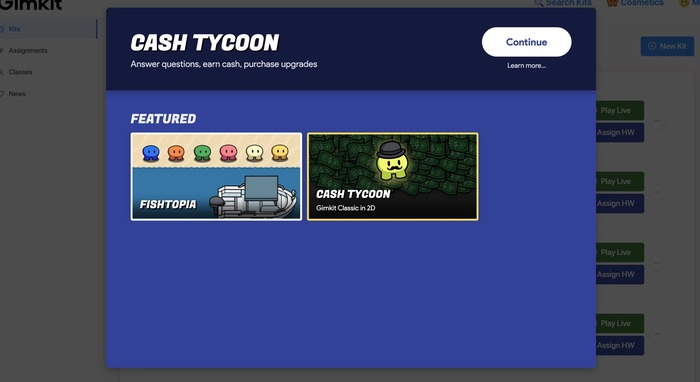
1. Select Your Kit: Choose the kit for the game.
2. Choose a Game Mode: Pick the mode that suits your goals.
3. Invite Players: Share the game code so students can join.
4. Start the Game: Begin when all players are ready and monitor progress.
Managing Players and Teams
Manage players and teams quickly. Assign students to teams or let them choose. Manually add students if they need help joining.
Keeping Students Engaged
Maintain energy by being enthusiastic. Encourage students to cheer for each other and celebrate wins. Add short breaks for discussion or reflection to keep the pace lively.
Using Gimkit in Class
Aligning Games with Curriculum
Gimkit is flexible and can align with curriculum standards. Choose or create questions matching your teaching topics to make games fun and educational.
Assessing Student Performance
Gimkit provides reports on student performance. Use these to see how well students understand the material and identify areas needing review.
Encouraging Collaboration and Competition
Gimkit games promote collaboration and competition. Alternate between team-based and individual games to encourage both teamwork and personal challenges.
Advanced Features for Hosts
Connecting Gimkit with Other Tools
Gimkit connects with various educational tools, including Google Classroom. This connection simplifies assigning games, tracking progress, and sharing results with students and parents.
Use these connections to streamline your teaching process.
Using Data to Enhance Learning
The reports and data from Gimkit are valuable for improving learning results. Analyze the data to spot trends, like which questions challenge students the most, and adjust your teaching method as needed.
Making Long-Term Learning Fun
Gimkit can help make long-term learning goals more engaging by creating games that become more challenging over time. This method can keep students interested and reinforce essential concepts.
Gimkit’s Future
New Features and Updates
Gimkit keeps changing, with regular updates and new features. Stay updated by checking Gimkit’s official blog, following their social media, or subscribing to their newsletter.
Future updates bring more game modes, better analytics, or new customization options to improve your hosting experience.
Staying Informed with Gimkit Updates
Regularly visit Gimkit’s website to stay updated and use their resources. Join online communities or forums where educators share tips and experiences.
Staying informed about updates connects you with professionals who offer support and ideas.
Growing as a Gimkit Host
As you gain more experience with Gimkit, think about taking on more responsibilities. You could train other teachers, lead workshops on Gimkit hosting, or create and share your kits.
Doing this will help expand the knowledge base and allow others to benefit from this valuable educational tool.
Conclusion
Create an engaging and meaningful learning environment to succeed as a Gimkit host. Continuously improve your methods, gather feedback, and stay adaptable to enhance the educational experience.
