


wp:paragraph
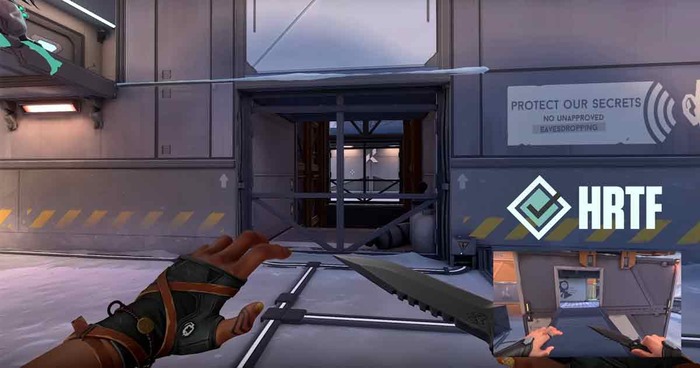
HRTF (Head-Related Transfer Function) in Valorant improves your hearing in the game by simulating how sound interacts with your head and ears.
/wp:paragraph
wp:paragraph
This technology delivers more accurate 3D audio cues, helping you better identify and locate sounds in your environment.
/wp:paragraph
wp:paragraph
Listen up, Valorant players and audio lovers! Today, we’re exploring a feature that could boost your performance in critical moments: HRTF.
/wp:paragraph
wp:paragraph
It’s not a new agent ability or hidden weapon—it’s a powerful tool for enhancing your sound experience.
/wp:paragraph
wp:paragraph
Let’s dive into 3D audio and see how HRTF can give you an edge in intense situations!
/wp:paragraph
wp:image {“id”:25504,”width”:”660px”,”height”:”auto”,”sizeSlug”:”full”,”linkDestination”:”none”,”align”:”center”}


/wp:image
wp:heading
How HRTF Affects Audio in Valorant?
/wp:heading
wp:paragraph
HRTF, or Head-Related Transfer Function, improves how audio feels in the game by making it more realistic and spatially accurate.
/wp:paragraph
wp:paragraph
It mimics how sound waves interact with your head and ears in real life, helping you better identify where sounds come from within the game.
/wp:paragraph
wp:paragraph
In short, it upgrades your in-game hearing. With HRTF, you don’t just hear sounds; you perceive them as if you were in the game’s world.
/wp:paragraph
wp:paragraph
Footsteps, gunshots, and ability cues turn into useful information about your surroundings, giving you a strategic advantage.
/wp:paragraph
wp:heading
Why HRTF Is Crucial for Valorant Players?
/wp:heading
wp:paragraph
In Valorant, players use audio to gather crucial information, and many choose HRTF to enhance their sound experience. Here’s why they prefer it:
/wp:paragraph
wp:list {“ordered”:true}
- wp:list-item
- Enhanced Directional Awareness: HRTF allows players to accurately identify the direction of sounds, whether it’s above, below, or behind.
- Improved Depth Perception: It helps determine the direction of a sound and how far away it is.
- Competitive Advantage: Precise sound localization can make a critical difference in high-stakes moments, giving players an edge in tense situations.
- Greater Immersion: The technology creates a more realistic and captivating audio experience, making the in-game world lifelike.
- Reduced Audio Fatigue: Processing sounds more naturally reduces the mental effort needed to interpret audio cues, lessening fatigue over time.
- Consistency Across Devices: HRTF provides a consistent experience, regardless of the headphones you’re using.
- Clear Vertical Sound: Instrumental in Valorant’s multi-tiered maps, it helps distinguish sounds from different elevations.
/wp:list-item
wp:list-item
/wp:list-item
wp:list-item
/wp:list-item
wp:list-item
/wp:list-item
wp:list-item
/wp:list-item
wp:list-item
/wp:list-item
wp:list-item
/wp:list-item
/wp:list
wp:image {“id”:25505,”width”:”656px”,”height”:”auto”,”sizeSlug”:”full”,”linkDestination”:”none”,”align”:”center”}

/wp:image
wp:heading
How to Enable HRTF in Valorant
/wp:heading
wp:paragraph
Want to enhance your sound experience in Valorant? Here’s how to enable HRTF:
/wp:paragraph
wp:list {“ordered”:true}
- wp:list-item
- Open Valorant and go to the main menu.
- Click on the Settings icon in the top-right corner.
- Navigate to the “Audio” section within the settings.
- Scroll down and locate the “HRTF” option.
- Toggle the switch to activate HRTF.
- (Optional but recommended) Restart the game to apply the changes fully.
- Test it out in the Range or a custom game to familiarize yourself with the new audio.
/wp:list-item
wp:list-item
/wp:list-item
wp:list-item
/wp:list-item
wp:list-item
/wp:list-item
wp:list-item
/wp:list-item
wp:list-item
/wp:list-item
wp:list-item
/wp:list-item
/wp:list
wp:paragraph
Tip:
/wp:paragraph
wp:paragraph
It may feel unfamiliar initially, but with time, many players find that HRTF offers a significant audio improvement once they’ve adapted.
/wp:paragraph
wp:heading
Essential Sound Concepts for Gameplay
/wp:heading
wp:image {“id”:25503,”width”:”668px”,”height”:”auto”,”sizeSlug”:”full”,”linkDestination”:”none”,”align”:”center”}
/wp:image
wp:paragraph
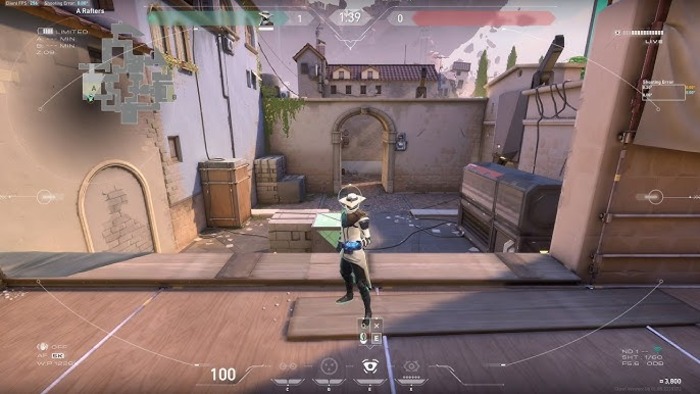
When diving into audio settings and sound in the game, you’ll encounter the following terms:
/wp:paragraph
wp:list
- wp:list-item
- Immersive Audio: A technique using two microphones to generate a 3D auditory experience.
/wp:list-item
/wp:list
wp:paragraph
/wp:paragraph
wp:list
- wp:list-item
- Multi-Directional Sound: A method that creates the illusion of sound coming from various angles.
/wp:list-item
/wp:list
wp:paragraph
/wp:paragraph
wp:list
- wp:list-item
- Dual-Channel Sound: A system that uses two separate audio channels for reproduction.
/wp:list-item
/wp:list
wp:paragraph
/wp:paragraph
wp:list
- wp:list-item
- Sound Indicators: Key noises that deliver important in-game information, such as movement or weapon reloads.
/wp:list-item
/wp:list
wp:paragraph
/wp:paragraph
wp:list
- wp:list-item
- Obstructed Sound Simulation: How the game replicates sound being blocked or muffled by nearby objects.
/wp:list-item
/wp:list
wp:paragraph
/wp:paragraph
wp:list
- wp:list-item
- Audio Composition: The blend of different sound elements in the in-game audio.
/wp:list-item
/wp:list
wp:paragraph
/wp:paragraph
wp:list
- wp:list-item
- Frequency Control: The act of adjusting the balance between high and low frequencies in the sound.
/wp:list-item
/wp:list
wp:paragraph
/wp:paragraph
wp:list
- wp:list-item
- Audio Layout: How sounds are positioned and perceived in the listening environment.
/wp:list-item
/wp:list
wp:paragraph
/wp:paragraph
wp:list
- wp:list-item
- Directional Sound Cues: Noises that appear from a precise location or direction.
/wp:list-item
/wp:list
wp:paragraph
/wp:paragraph
wp:list
- wp:list-item
- Audio Placement: Arranging sounds in a 3D space within the game environment.
/wp:list-item
/wp:list
wp:paragraph
/wp:paragraph
wp:list
- wp:list-item
- Volume Difference: The contrast between the loudest and quietest sounds in the game’s audio mix.
/wp:list-item
/wp:list
wp:paragraph
/wp:paragraph
wp:list
- wp:list-item
- Sound Delay: The time it takes for a sound to travel from its source to the player is crucial for fast-paced gameplay.
/wp:list-item
/wp:list
wp:paragraph
Armed with this understanding, you’re ready to enhance your experience in the game.
/wp:paragraph
wp:paragraph
While sharp accuracy and quick responses are essential, your ability to track hidden enemies or react to movements based on sound is equally critical.
/wp:paragraph
wp:paragraph
It might take time to adjust to immersive audio techniques, but many players find it offers a significant advantage during intense moments.
/wp:paragraph
wp:paragraph
Try it out, train your hearing, and your improved sound awareness could power your next impactful move.
/wp:paragraph
wp:paragraph
Stay alert and let the audio cues guide your success!
/wp:paragraph

