


wp:paragraph
CTD (Crash to Desktop) happens when a game suddenly closes and forces the player back to the desktop without warning. The error causes lost progress and disrupts gameplay.
/wp:paragraph
wp:paragraph
Hello, gamers and problem solvers! Every player faces CTD at some point. It’s not a rare game reward but an issue that ruins gaming sessions. Learn what causes CTD, why it happens, and how to fix it.
/wp:paragraph
wp:paragraph
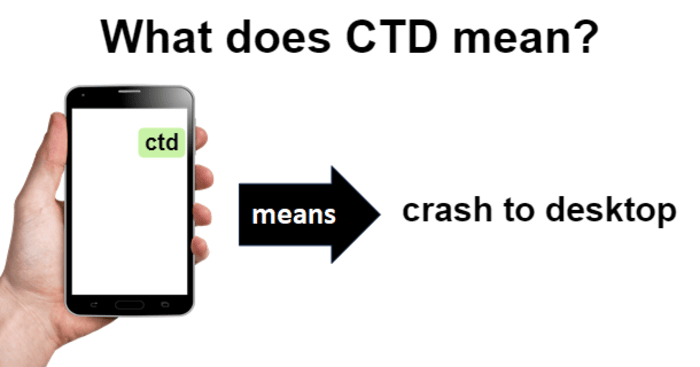
CTD means “Crash to Desktop.” It happens when a game suddenly shuts down and returns to the desktop.
/wp:paragraph
wp:paragraph
The game closes without warning, leaving players frustrated. CTDs often occur at unexpected times and can ruin the gaming experience.
/wp:paragraph
wp:image {“id”:23647,”width”:”662px”,”height”:”auto”,”sizeSlug”:”full”,”linkDestination”:”none”,”align”:”center”}

/wp:image
wp:heading
The Meaning of CTD
/wp:heading
wp:paragraph
The phrase “Crash to Desktop” has existed almost as long as computer graphical user interfaces.
/wp:paragraph
wp:paragraph
However, it became well-known in gaming in the late 1990s and early 2000s as PC gaming became more advanced and widely used.
/wp:paragraph
wp:paragraph
Their crashes changed as games evolved from basic DOS programs to advanced Windows apps.
/wp:paragraph
wp:paragraph
Instead of freezing or showing a blue screen, games closed abruptly and returned users to the desktop. People coined the term “Crash to Desktop.”
/wp:paragraph
wp:heading {“level”:4}
Note:
/wp:heading
wp:paragraph
Gamers and developers likely created the acronym CTD to describe this specific crash in forums and bug reports quickly.
/wp:paragraph
wp:image {“id”:23648,”width”:”656px”,”height”:”auto”,”sizeSlug”:”full”,”linkDestination”:”none”,”align”:”center”}

/wp:image
wp:heading {“level”:3}
Main Reasons for Game CTD
/wp:heading
wp:paragraph
Games may crash on a desktop (CTD) for different reasons. Below are some common causes:
/wp:paragraph
wp:list
- wp:list-item
- Hardware Problems: Overheating, insufficient RAM, or unstable overclocking may trigger CTDs.
- Driver Issues: Corrupt or outdated graphics drivers often cause crashes.
- Software Interference: Background programs can disrupt game performance.
- Mod Conflicts: Mods that do not work well together may lead to CTDs.
- Damaged Game Files: Missing or broken files can result in crashes.
- Low System Resources: Failing to meet system requirements can cause CTDs.
- Game Bugs: Errors in the game’s code may be responsible.
- OS Problems: An outdated or corrupted operating system can lead to CTDs.
/wp:list-item
wp:list-item
/wp:list-item
wp:list-item
/wp:list-item
wp:list-item
/wp:list-item
wp:list-item
/wp:list-item
wp:list-item
/wp:list-item
wp:list-item
/wp:list-item
wp:list-item
/wp:list-item
/wp:list
wp:heading {“level”:3}
Fixing Game CTD Issue
/wp:heading
wp:paragraph
Dealing with CTDs can be challenging. Try these steps:
/wp:paragraph
wp:list {“ordered”:true}
- wp:list-item
- Update Drivers: Keep your graphics and hardware drivers current.
- Verify Game Files: Use your game platform’s tool to fix corrupted files.
- Update the Game: Ensure you’re using the latest game version.
- Check for Conflicts: Close unnecessary programs while playing.
- Monitor Temperatures: Make sure your system doesn’t overheat during gameplay.
- Adjust Graphics Settings: Lower in-game graphics to ease the load on your system.
- Reinstall the Game: A fresh install can fix the problem if needed.
- Update the OS: Make sure your operating system is up to date.
- Check Event Viewer: Use the Event Viewer in Windows to find crash causes.
/wp:list-item
wp:list-item
/wp:list-item
wp:list-item
/wp:list-item
wp:list-item
/wp:list-item
wp:list-item
/wp:list-item
wp:list-item
/wp:list-item
wp:list-item
/wp:list-item
wp:list-item
/wp:list-item
wp:list-item
/wp:list-item
/wp:list
wp:heading {“level”:3}
CTD Term Use Cases and Examples
/wp:heading
wp:paragraph
You will often find CTD mentioned in gaming forums and tech support discussions. Here are some examples:
/wp:paragraph
wp:list
- wp:list-item
- Bug Reports: “The game CTDs every time I enter the cave in Chapter 3.”
- Tech Support Requests: “I’m facing frequent CTDs in [Game Name]. Any fixes?”
- Mod Discussions: “This mod setup causes CTDs for me. Any compatibility patches?”
- Game Reviews: “Good game, but frequent CTDs make it unplayable for now.”
- Patch Notes: “Fixed an issue that caused CTDs when loading saved games.”
/wp:list-item
wp:list-item
/wp:list-item
wp:list-item
/wp:list-item
wp:list-item
/wp:list-item
wp:list-item
/wp:list-item
/wp:list
wp:heading {“level”:3}
Other Related Terms
/wp:heading
wp:paragraph
You might encounter these related terms when dealing with CTDs:
/wp:paragraph
wp:list
- wp:list-item
- BSOD (Blue Screen of Death): A Windows error screen, often more severe than a CTD.
- Crash Dump: A file created when a program crashes, which helps diagnose the cause.
- Memory Leak: A bug that can lead to CTDs if not fixed.
- Stability Testing: A process to check if a system can run without crashing under stress.
- Benchmark: A test to measure system performance, often used to identify CTD-causing issues.
- Rollback: Returning to a previous driver’s or game version to avoid CTDs.
- Overclocking: Running hardware beyond standard speeds can sometimes cause CTDs if incorrectly done.
/wp:list-item
wp:list-item
/wp:list-item
wp:list-item
/wp:list-item
wp:list-item
/wp:list-item
wp:list-item
/wp:list-item
wp:list-item
/wp:list-item
wp:list-item
/wp:list-item
/wp:list
wp:paragraph
You can now understand, prevent, and fix CTDs. Improving your gaming experience will result in smoother gameplay, higher frame rates, and fewer crashes. Enjoy gaming!
/wp:paragraph

